
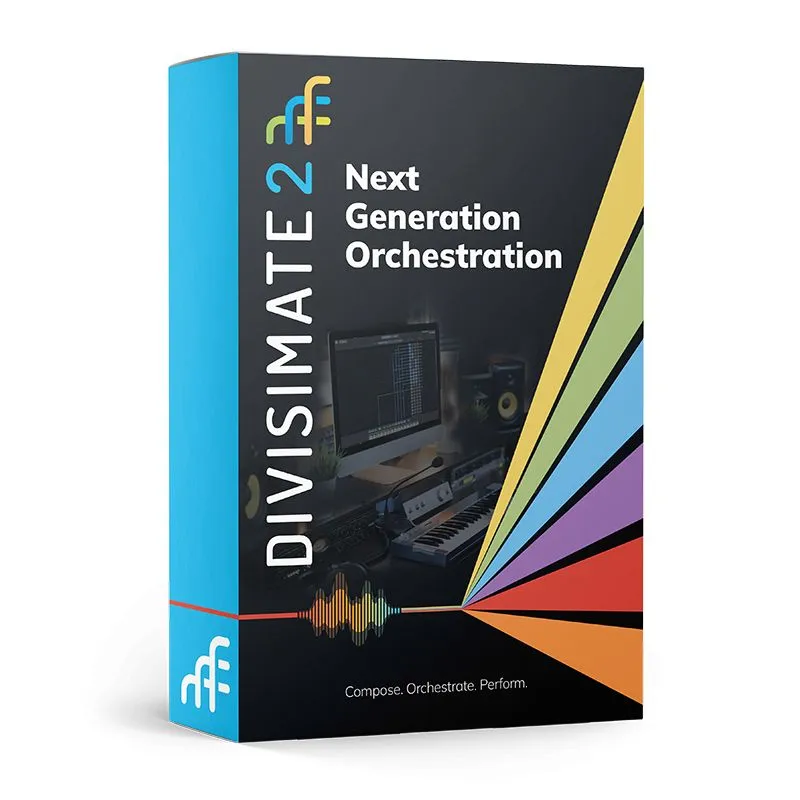
Divisimate 2
Divisimate 2 lets you quickly and easily orchestrate your live performance with your virtual instruments in real-time. Split up your chords into musical voices, spread them across your instruments, and create playable orchestrations.
Divisimate 2 - Real-Time Orchestration and MIDI Routing
Divisimate 2 is a real-time orchestration engine that lets composers, producers, and live performers play multiple virtual instruments as a coordinated ensemble. Split chords into independent voices, route each part to instruments in your DAW, build playable orchestrations, and record the resulting parts to individual tracks. Divisimate 2 works with your existing sample libraries and software instruments, giving you detailed control over voicing, articulation, rhythm, and performance from a single MIDI controller.
New in Divisimate 2.1
Divisimate 2.1 is a free update for all Divisimate 2 users. It adds Key Splits for Multipads, direct USB support for the DivisiControl iOS app, expanded Transformer processing, and the new Key Range Remote. The update also includes synchronization improvements, stronger MPE compatibility, and a range of workflow refinements and fixes.
Key Splits in Multipads
Divide a Multipad into two or three keyboard ranges and play a different orchestration from each range. Every split has its own Divisi Engine and routing, while Arpeggiators remain synchronized across the performance. This makes it possible to combine sections, textures, or instrumental roles inside a single playable setup.
DivisiControl via USB
Connect the DivisiControl iOS remote app directly to your computer over USB. The wired connection provides fast, dependable access to presets and performances without relying on a shared wireless network.
Sequential Transformer Processing
Transformer rows can now be processed sequentially as well as in parallel. This allows several transformations to be chained inside one plugin. Version 2.1 also adds reversible value ranges and drag-and-drop row ordering, making complex MIDI transformations easier to build and manage.
Key Range Remote
Assign presets, scale changes, and other remote functions to keyswitches on your MIDI keyboard. A dedicated control range keeps frequently used performance commands available without taking your hands away from the instrument.
Divisimate 2.1 also improves synchronization between Arpeggiator and Repeater plugins, MPE controller compatibility, performance exporting, plugin management, preset switching, and DivisiControl communication.
Divisimate 2 - Next Generation Orchestration Engine
Features:
● Play your favorite virtual instruments live as an ensemble and record individual parts inside your DAW
● Choose from three different Divisi Modes to split chords dynamically into up to eight different voices
● Route individual voices to 32 different multitimbral ports and address up to 512 virtual instruments at once
● Transpose and modify parts to create your own voicings and detailed orchestrations
● Build unique textures and rhythms, switch articulations, and transform your input with five different modifier plugins
● Define separate keyboard ranges for melodies, chords, bass lines and keyswitches
● Create human differences between parts with the humanization engine
● Play live or use recorded inputs as you run Divisimate as either a standalone software or a VST/AU/AAX Plugin in your DAW
● Switch quickly between orchestrations on the perform page, overlap and merge instrumentations, and build complex patches with the Multipad Editor
Compare Divisimate Options
| DIVISIMATE 2 | DIVISIMATE CORE | DIVISIMATE MICRO | |
| Standalone Software |
✔ |
||
| Plugin |
✔ |
✔ |
✔ |
| Direct Plugin Output |
✔ |
✔ |
|
| Virtual Ports | 32 Multitibral Ports | 16 Ports per Plugin / 32 Overall | 4 Single Ports per Plugin / 16 Overall |
| Voices | 8 | 8 | 4 |
| Divisi Modes | 3 | 3 | 3 |
| Low/Melody Ranges |
✔ |
✔ |
✔ |
| Transposer Plugin |
✔ |
✔ |
✔ (no scale lock) |
| Trigger Plugin |
✔ |
✔ |
✔ |
| Repeater Plugin |
✔ |
||
| Arpeggiator Plugin |
✔ |
✔ (basic mode only) |
|
| Transformer Plugin |
✔ |
||
| Humanization |
✔ (note and cc) |
✔ (note and cc) |
✔ (note only) |
| Remote App |
✔ |
||
| MIDI Remote |
✔ |
✔ |
|
| Perform Page |
✔ |
✔ |
|
| Multipads |
✔ |
||
| Preset Transitions |
✔ |
||
| Global Keyswitch Range |
✔ |
✔ |
|
| Price | $249 | $149 | $49 |
Orchestrate Page
On the orchestrate page you can activate a certain number of voices and additional keyboard ranges. You can then route every voice and range to one of the 32 multitimbral Divisimate Ports and add modifier plugins to customize your orchestration.
Perform Page
Organize your favorite presets on up to 400 pads on the perform page and switch between your favorite orchestrations instantly. Use the multipad editor to combine multiple orchestrations into a single playable patch. You can also select the pads of your choice using MIDI controls or the free Remote Control app for iOS and Android.
Modifier Plugins
You can apply different plugins to every individual port in Divisimate to customize your orchestration.
● The Transposer allows you to transpose every part and range independently
● The Arpeggiator creates patterns, textures, and even custom melodies with extensive customization potential
● The Trigger can send out specific notes and controllers to switch articulations when a preset is loaded
● The Transformer enables a number of real-time operations like limiting dynamic ranges, mapping all notes to a single key, or conforming keyswitches
● The Repeater can add rhythm and grooves to longer notes by repeating them in a customizable pattern
Additional Features
● Transposer Scale Lock - Have your ensemble play complete voicings in key with the Global Scale Lock. Transpose different instruments by different scale degrees to build chords and listen to them stay within the selected scale as you play.
● Multiple Perform Page Layouts - Save and manage different layouts of your Perform Page as Performances. Each Performance can have a number of individual settings for humanization, preset transition, and default preset.
● Keyswitch Range – Define a key range that will always pass through to routed instruments so you have access to your favorite articulations at all times.
● Multipad Editor – Switch between orchestrations automatically by defining transitions and conditions in a Multipad. Want a larger orchestration when the modwheel goes up? This is how you do that.
● Transition Modes – Choose from three different transition modes to seamlessly move between orchestrations and even play multiple orchestrations at once.
● Performance and Preset Export / Import - Quickly share sets of presets between users and import pre-existing orchestrations and layouts. Use the batch import to conform larger numbers of orchestrations to your template.
● Remote Control App for Android & iOS – Use your tablet or phone to switch between orchestrations while playing with the free remote control app DivisiControl. Connect your mobile device and computer to the same network and link up the app with Divisimate to have direct tactile access to the orchestrations on the perform page
● MPE Input Support - Use an MPE Controller with Divisimate to have even more control over every single note. All CC, Aftertouch, and Pitch Bend data that belong to a certain note will automatically be sent to the instruments playing those notes.
Templates
Get started quickly with one of our bespoke templates. The Universal Orchestral Template can be used with any set of orchestral instruments and comes with 200 curated orchestrations. More customized templates are available for SWAM instruments by Audio Modeling and the VSL Synchron Prime Edition. Hundreds of orchestrations are waiting to be discovered by you.
Compatibility
Divisimate can be used in combination with most major DAWs (Cubase, Studio One, Pro Tools, Reaper, Ableton Live, Digital Performer, Logic Pro X) and with essentially any kind of virtual instrument.

Divisimate 2 FAQ
What does Divisimate 2 do?
Divisimate 2 distributes the notes you play across multiple virtual instruments in real time. It can split chords into as many as eight individual voices, route those voices to separate instruments, and modify each part with transposition, arpeggiation, triggering, repetition, and other MIDI processing.
Who is Divisimate 2 designed for?
Divisimate 2 is designed for composers, producers, keyboard players, and live performers who want to control several virtual instruments as one playable ensemble. It is particularly useful for sketching orchestrations, performing layered arrangements, testing voicings, and recording separate MIDI parts into a DAW.
Does Divisimate 2 include virtual instruments or sample libraries?
No. Divisimate 2 is an orchestration and MIDI-routing environment that works with your existing virtual instruments and sample libraries. You choose the sounds, then use Divisimate to distribute, transform, and perform the individual parts.
Which DAWs are compatible with Divisimate 2?
Divisimate 2 can be used with major DAWs including Cubase, Studio One, Pro Tools, Reaper, Ableton Live, Digital Performer, and Logic Pro. It can run as standalone software or as a VST, AU, or AAX plugin, depending on your system and workflow.
How many instruments can Divisimate 2 control?
Divisimate 2 provides 32 multitimbral ports and can address up to 512 virtual instruments. A single performance can use as many or as few instruments as your arrangement and computer system require.
Can I record Divisimate performances into my DAW?
Yes. Divisimate can route the individual voices of a performance to separate tracks, allowing you to record and edit each instrumental part independently inside your DAW.
What are Multipads?
Multipads combine multiple orchestrations into a single playable patch. You can define transitions and performance conditions, layer orchestrations, or switch between them automatically. Divisimate 2.1 also adds Key Splits, allowing two or three orchestrations to occupy separate ranges within one Multipad.
Does Divisimate 2 support MPE controllers?
Yes. Divisimate routes note-specific controller, aftertouch, pitch-bend, and other expressive data to the instruments assigned to each note. Version 2.1 improves compatibility with controllers that transmit pitch or controller information before the note-on message.
Can Divisimate 2 be controlled remotely?
Yes. The free DivisiControl app lets you access performances and orchestrations from a compatible mobile device. Divisimate 2.1 adds direct USB connectivity for the iOS version of DivisiControl.
Are orchestration templates included?
Divisimate provides templates designed to help you begin working with common orchestral setups and instrument collections. The Universal Orchestral Template works with a broad range of orchestral instruments, while additional templates are available for selected libraries and modeled instruments.
Is Divisimate 2.1 a paid upgrade?
No. Divisimate 2.1 is a free update for all registered Divisimate 2 users. The latest installer is available through the Products section of the Divisimate user area.
Mac minimum system requirements*
- Intel Mac with macOS 10.11.X (El Capitan) or later
- Intel Quad Core processor
- 16GB RAM or more recommended
PC minimum system requirements*
- Intel/AMD PC Windows 10 Home, Pro and Enterprise 64-bit editions
- Intel Quad Core processor
- 16GB RAM or more recommended

You may also be interested in